On‑premise MLOps platform
miniOps
Vision AI training
completed with a single in‑house GPU server
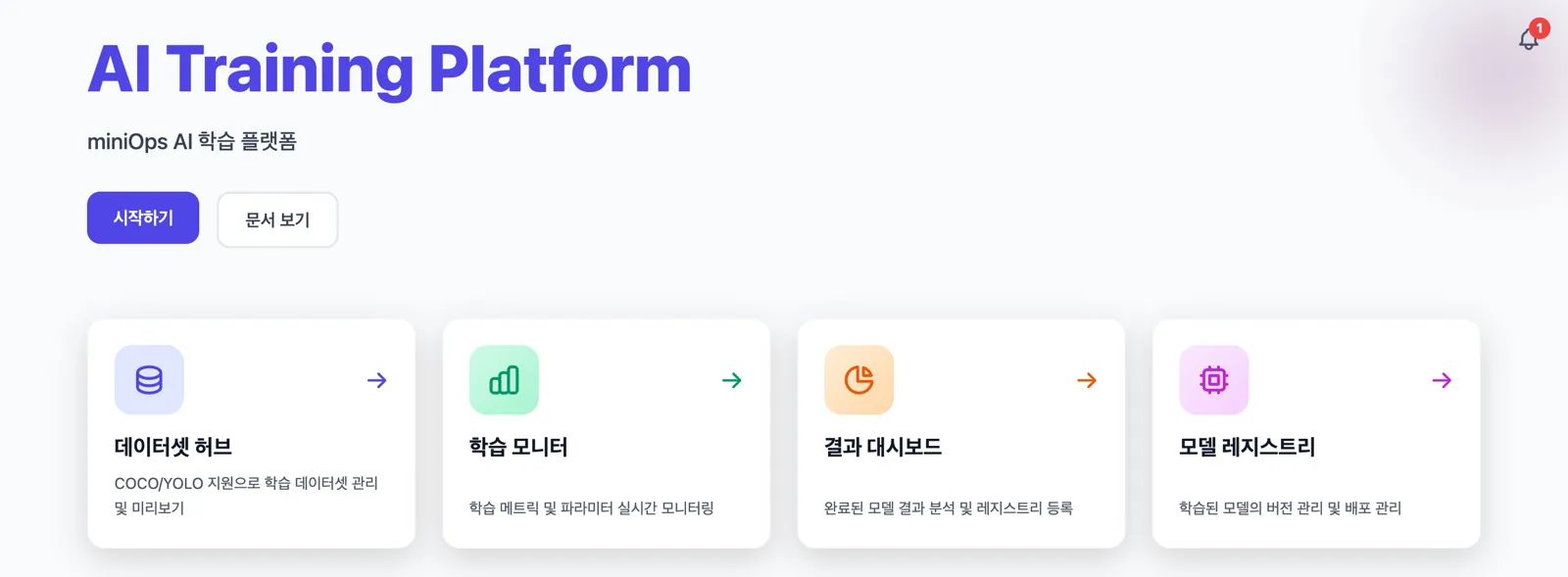
From data upload, labeling, training, and result analysis to model version management. miniOps is an on‑premise MLOps platform that brings all of these steps together into a single web interface.
Three hurdles teams face when building vision AI in‑house
Data cannot be taken outside
Production line images, facility videos, and inspection results are the company’s core assets. To upload them to a cloud training service, you first have to pass security reviews, and in many cases you simply can’t.
Tools are scattered
Labeling is done in a separate program, training is run by personal scripts, experiment logs live in Excel, and model files sit in a shared folder. When the owner changes, it becomes impossible to track which data was used to build which model.
No one to own the infra
To wire together and operate GPU drivers, training environments, experiment tracking servers, and storage, you need a dedicated engineer. In small teams, the AI engineer ends up taking on that work as well.
miniOps’ answer
Install on your existing GPU server and keep data on‑premise, while handling everything from labeling to model management in a single interface.
Five stages connected in one interface
Seamless from data registration to management of models deployed in the field
Dataset Hub
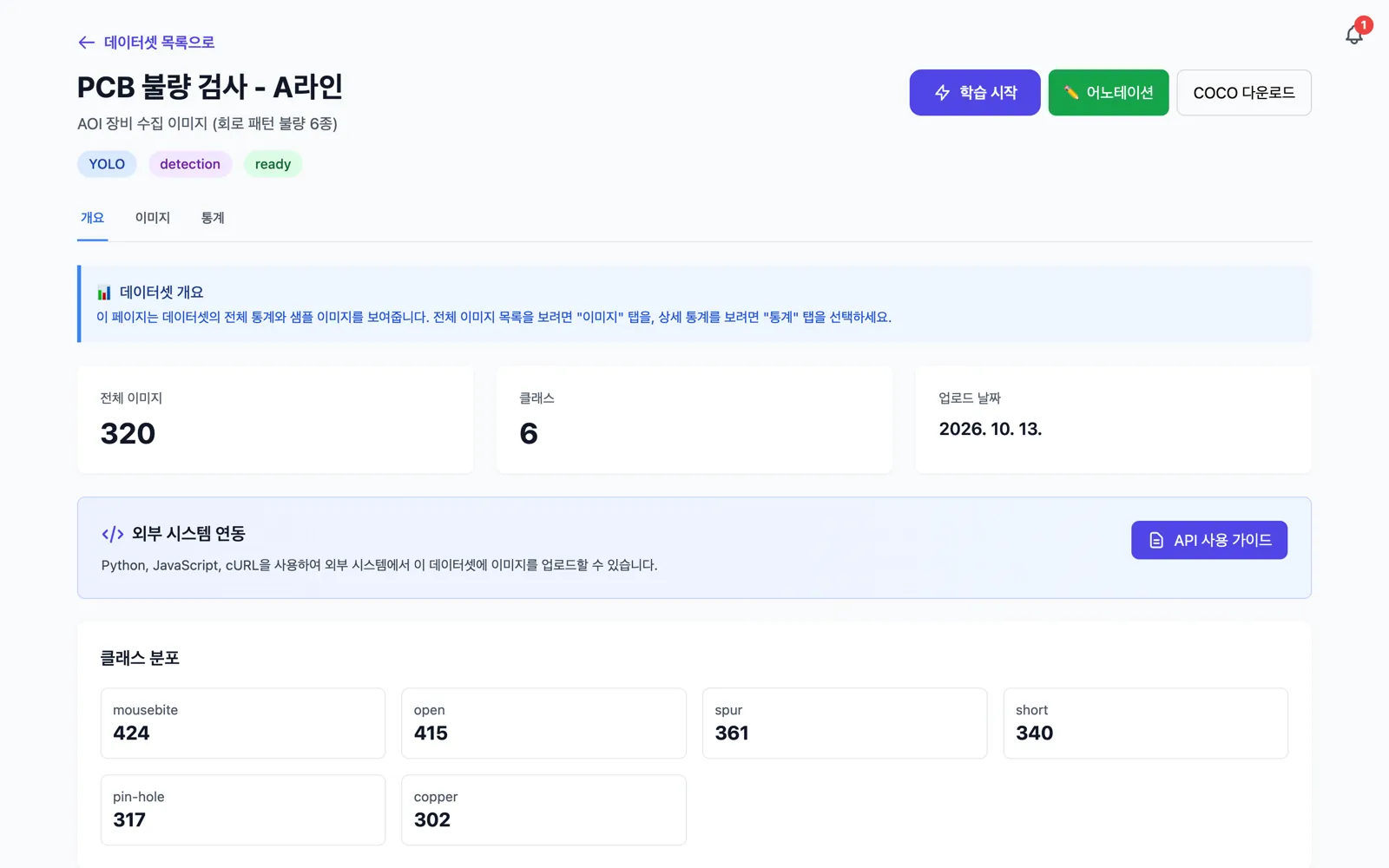
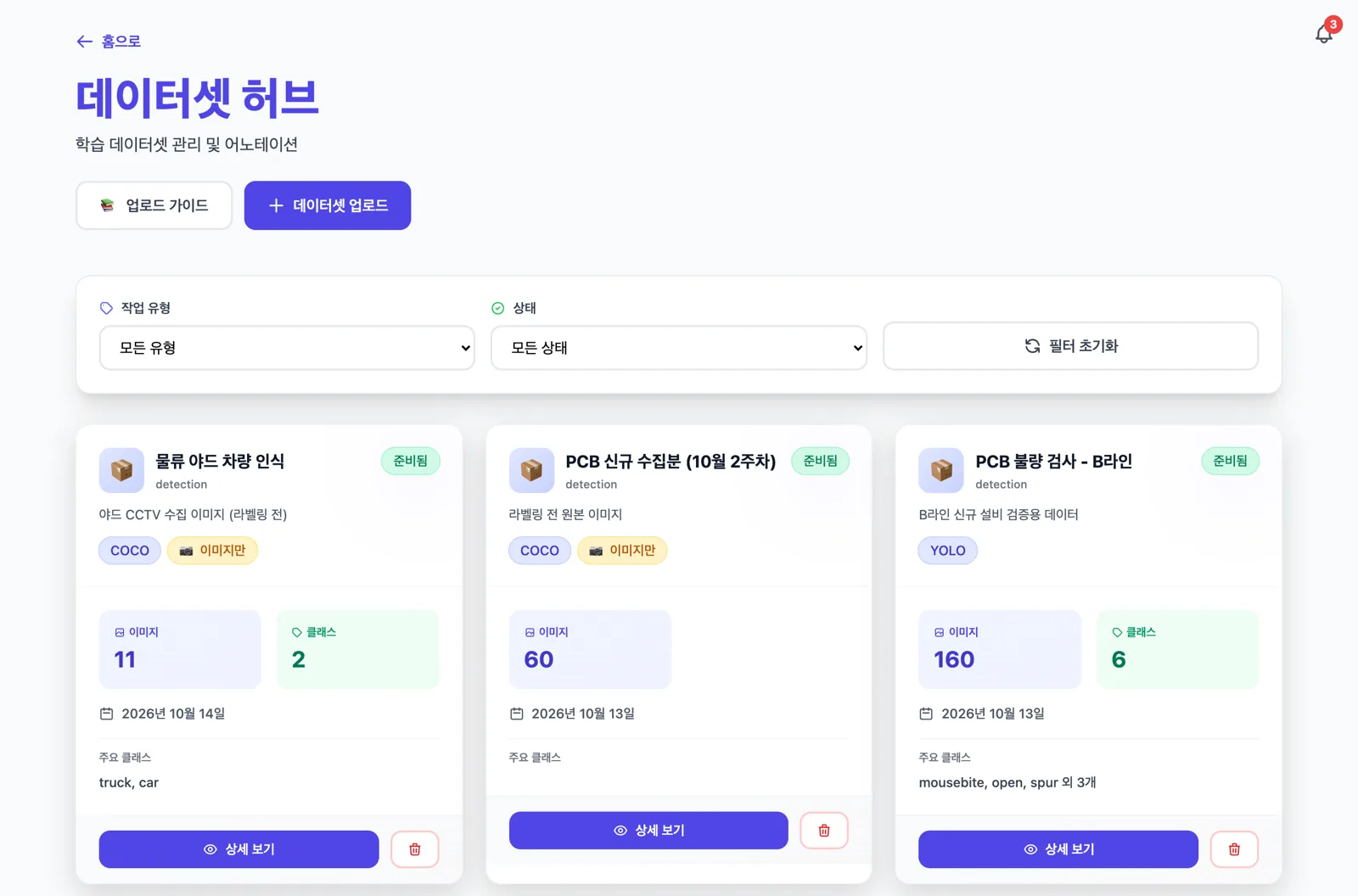
Register images and labels with a single ZIP upload, and check class distribution and review status.
Labeling & Review
Draw boxes and polygons in the web editor, let AI auto‑annotate drafts, then have humans review them.
Training
Start training directly from the dataset screen, and monitor progress, loss curves, and resource usage in real time.
Result Analysis
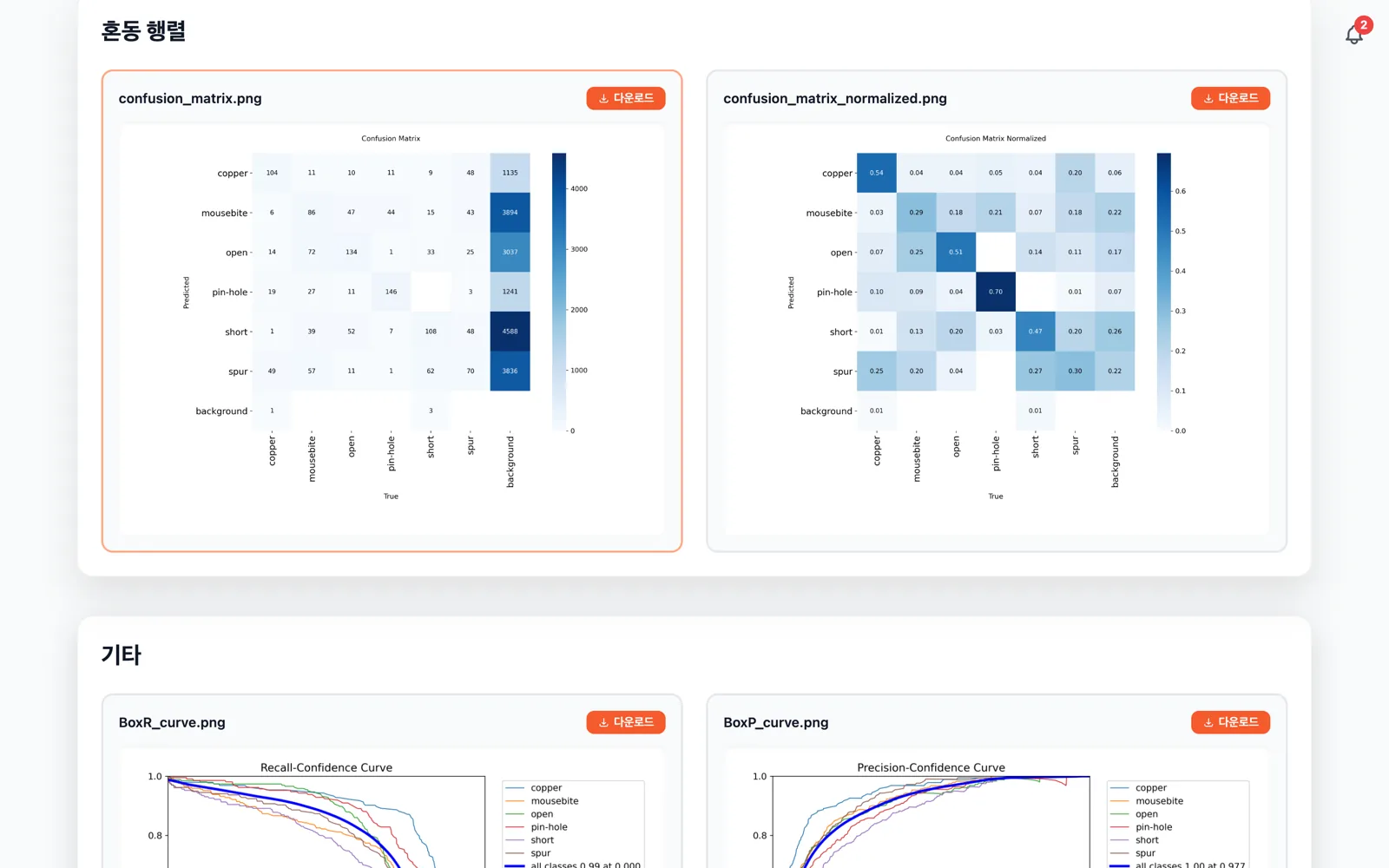
Review training curves, PR curves, confusion matrices, and metrics, and download weights.
Model Registry
Register models by version and manage them across Staging and Production stages.
-
✓Installed, single‑server setupInstall on a single server using Docker Compose. All images, labels, and model files are stored on a designated internal disk.
-
✓All you need is a web browserAccess over the internal network with no extra programs to install. The interface is provided in Korean.
-
✓Built on proven open sourceWe integrate widely used open‑source components like MLflow, MinIO, and PostgreSQL into a single interface. You’re not locked into any specific vendor.
-
✓Object detection & segmentationBuild image‑based inspection models such as defect detection, parts recognition, and region segmentation.
Manage scattered images in one place
-
✓Register via ZIP uploadUpload a ZIP file containing images and labels, and the format is detected automatically. Supports COCO JSON and YOLO TXT, and you can also upload images without labels.
-
✓Automatic thumbnail generationPreview images are generated at upload time, letting you quickly skim through even thousands of data items.
-
✓Status at a glanceEach card shows processing, ready, and failed statuses, as well as whether labels exist. Filter by task type and status.
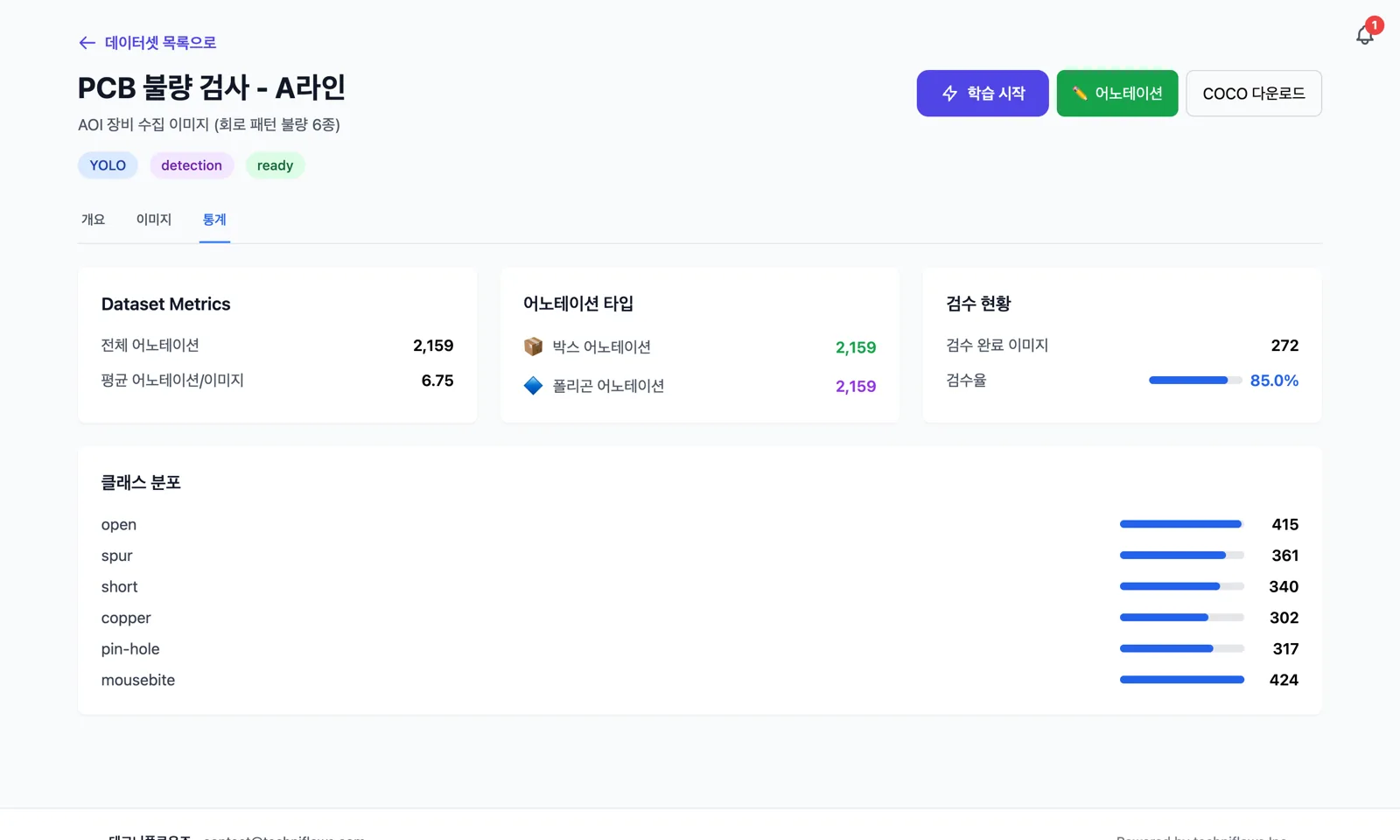
Quantify the state of your data
-
✓Check class imbalanceCompare label counts by class in bar charts to identify under‑represented classes before training.
-
✓Track review rateSee the ratio of images whose review has been completed. You can also train using only the reviewed subset.
-
✓Class filterFilter and inspect only the images that contain a specific defect type.
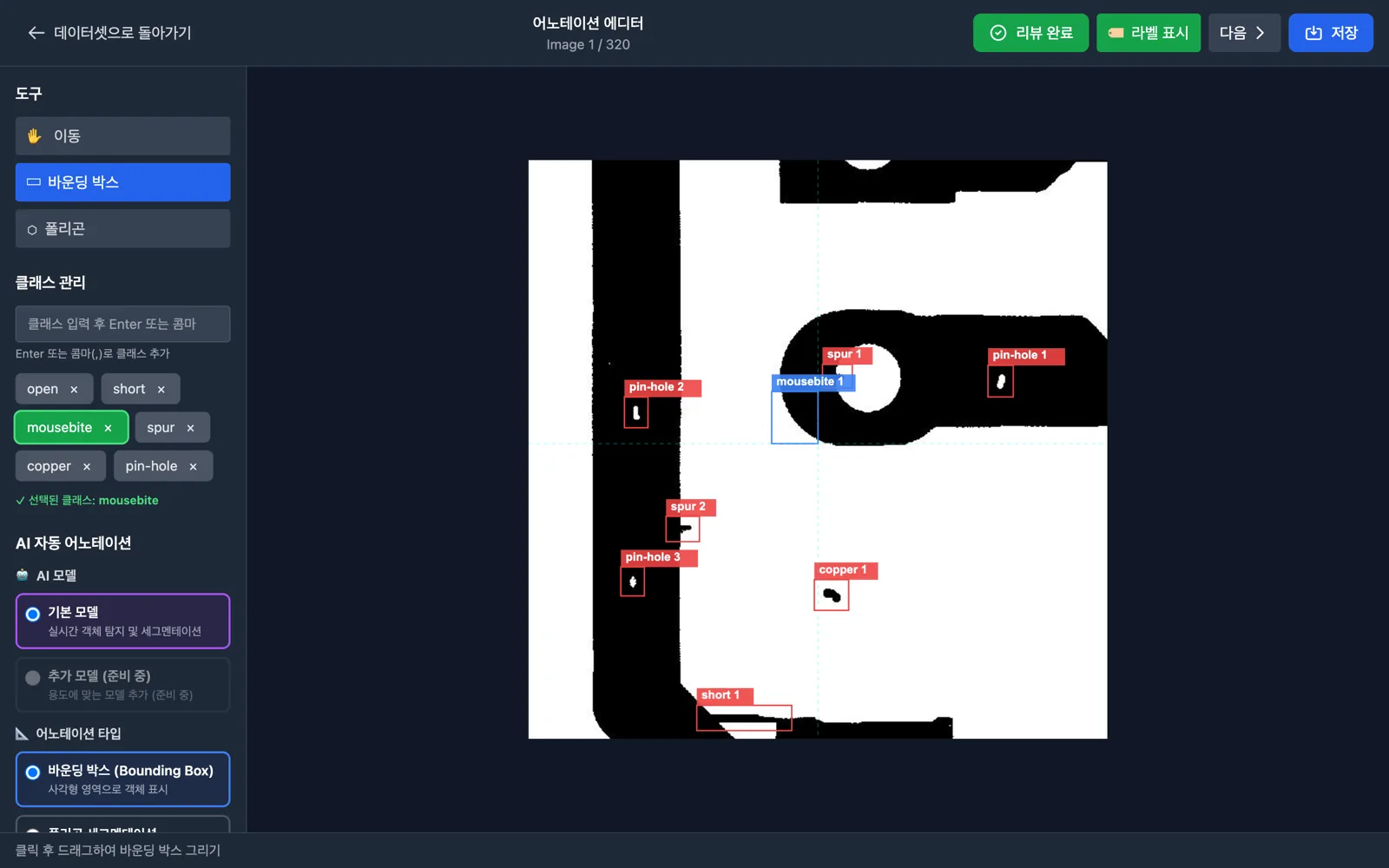
Label directly in your browser
-
✓Boxes and polygonsDraw bounding boxes for object detection and polygons for segmentation.
-
✓Class managementAdd and select classes inside the editor. Classes that are in use are protected from accidental deletion.
-
✓Review flagsWork through images in sequence and toggle each image between “Pending review” and “Review complete” via button or R keyboard shortcut.
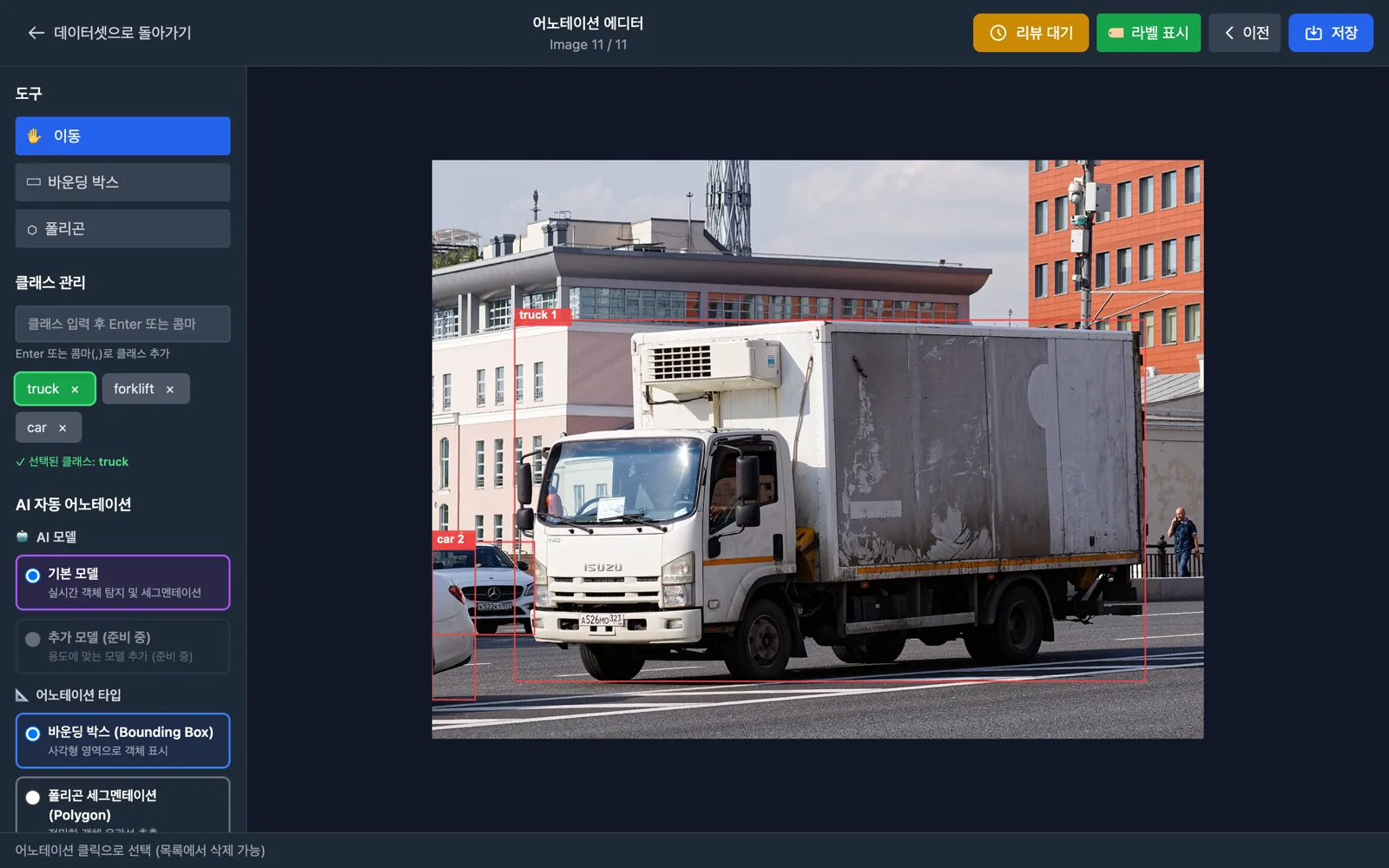
AI drafts, humans review
-
✓Text‑driven automatic annotationEnter the names of targets as classes, and an AI model finds those objects in images and creates boxes and polygons. Usable out of the box with no prior training.
-
✓Batch processing per datasetRun auto‑annotation in bulk only for unlabeled images, only for unreviewed images, or for all images. Control strictness using a confidence threshold.
-
✓Notifications when doneWhen the job finishes, the counts of successes and failures appear in the notification center. You can keep working on other tasks in the meantime.
Note: Automatic annotation accuracy varies depending on the target and image characteristics. It works well for general objects; highly specialized targets such as tiny defects still require human review and correction.
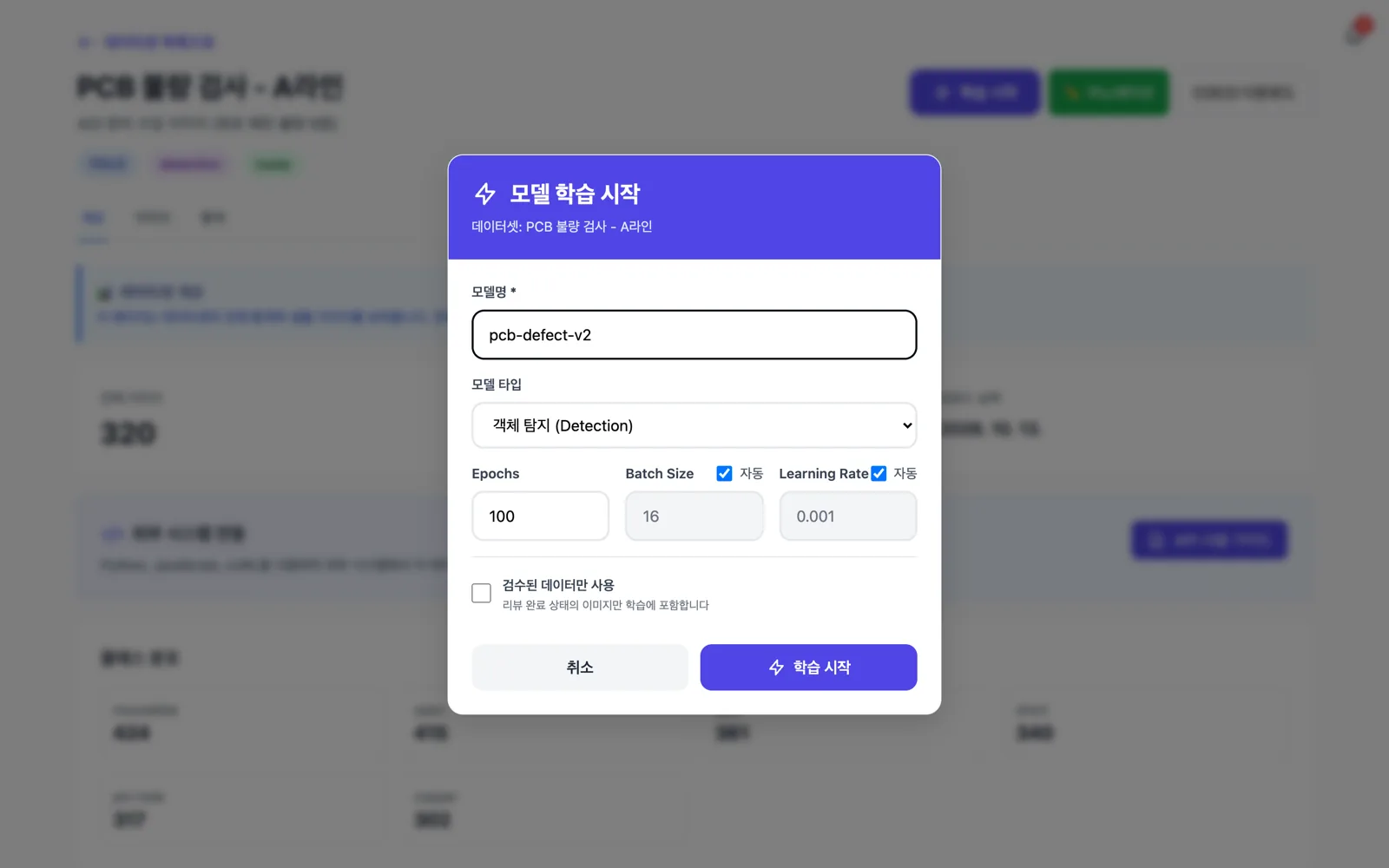
Start training right from the dataset screen
-
✓Minimal input requiredJust set the model name, task type (object detection / segmentation), and number of epochs. Batch size and learning rate can be set automatically.
-
✓Automated splits and format conversionThe platform handles train/validation/test splits and conversion to training‑ready formats. No need to write scripts.
-
✓Transfer learning and automatic experiment loggingStart from pre‑trained models to get results quickly even with limited data, and have hyperparameters, metrics, and model files automatically logged to MLflow.
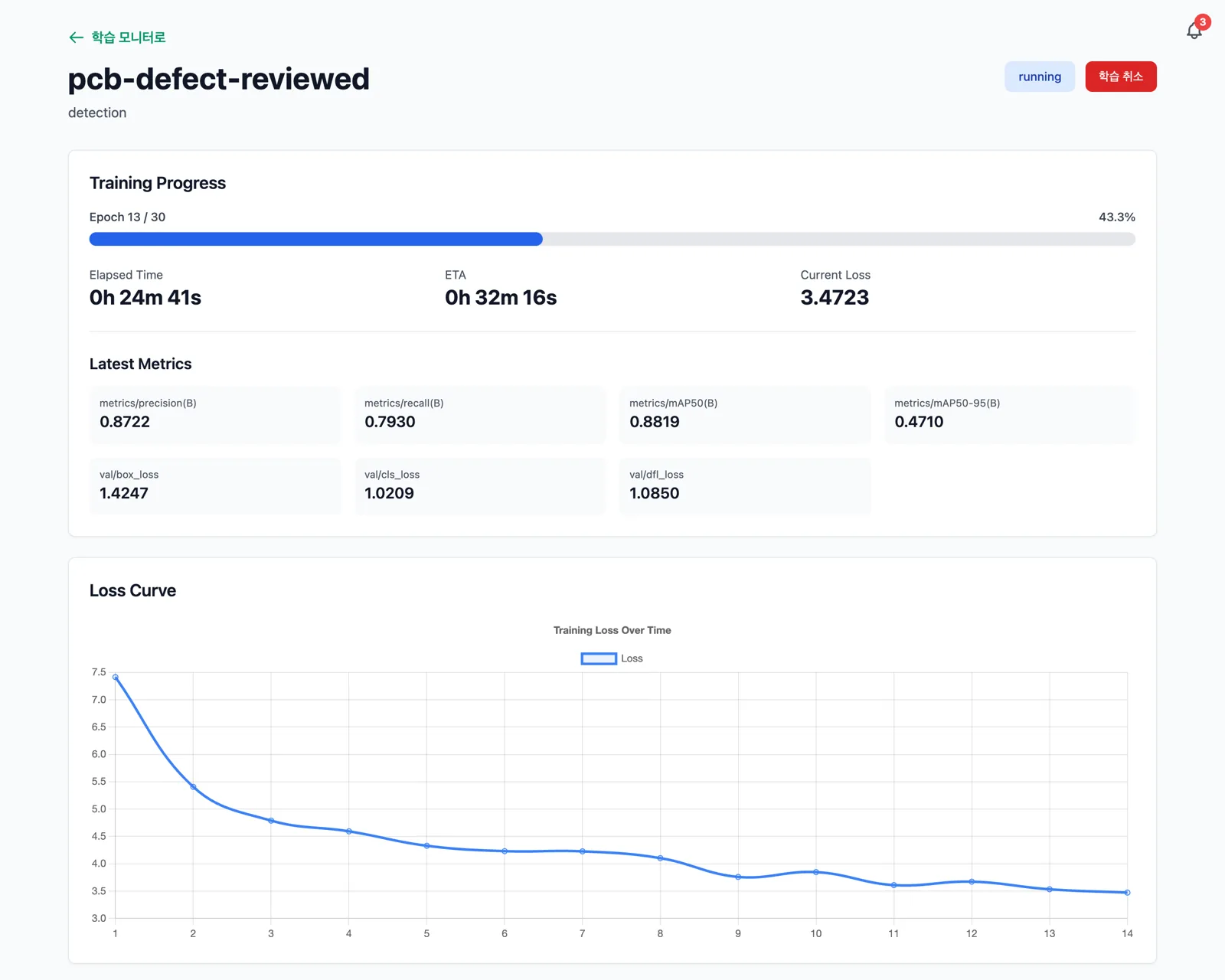
See training progress in real time
Progress, loss values, precision, recall, and mAP are updated on screen at the end of each epoch. Queue, running, completed, and failed job counts are visible at a glance.
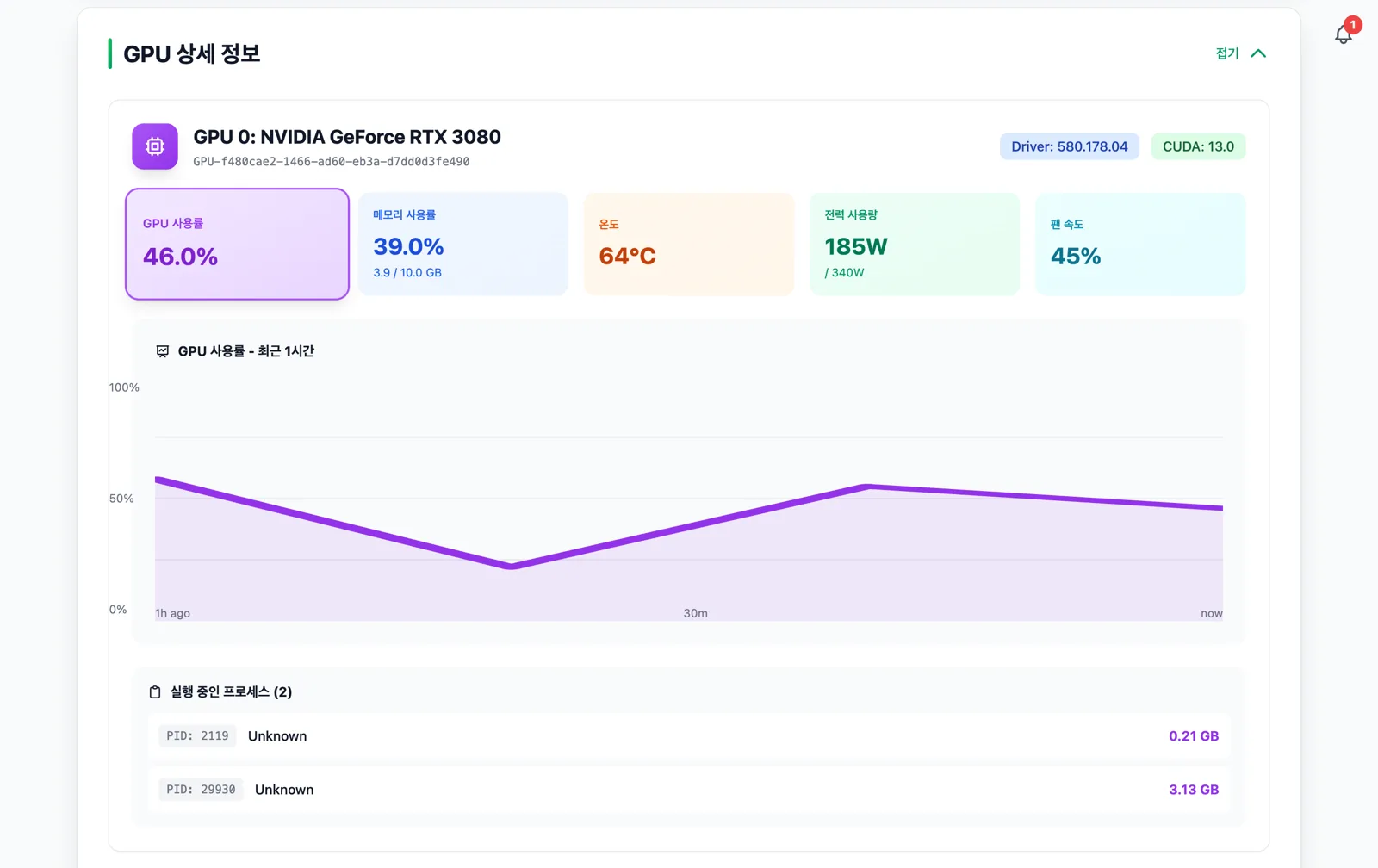
Monitor GPUs without logging into the server
Check GPU utilization, memory, temperature, power usage and last‑hour trends per GPU, along with running processes and driver / CUDA versions, all from the web UI.
Evaluate model performance with evidence
-
✓Automatic visualizationOnce training completes, instantly see training curves, F1 / PR curves, and confusion matrix images, and download them for reports.
-
✓Download weightsDownload both the best‑performing model (best) and the final model (last).
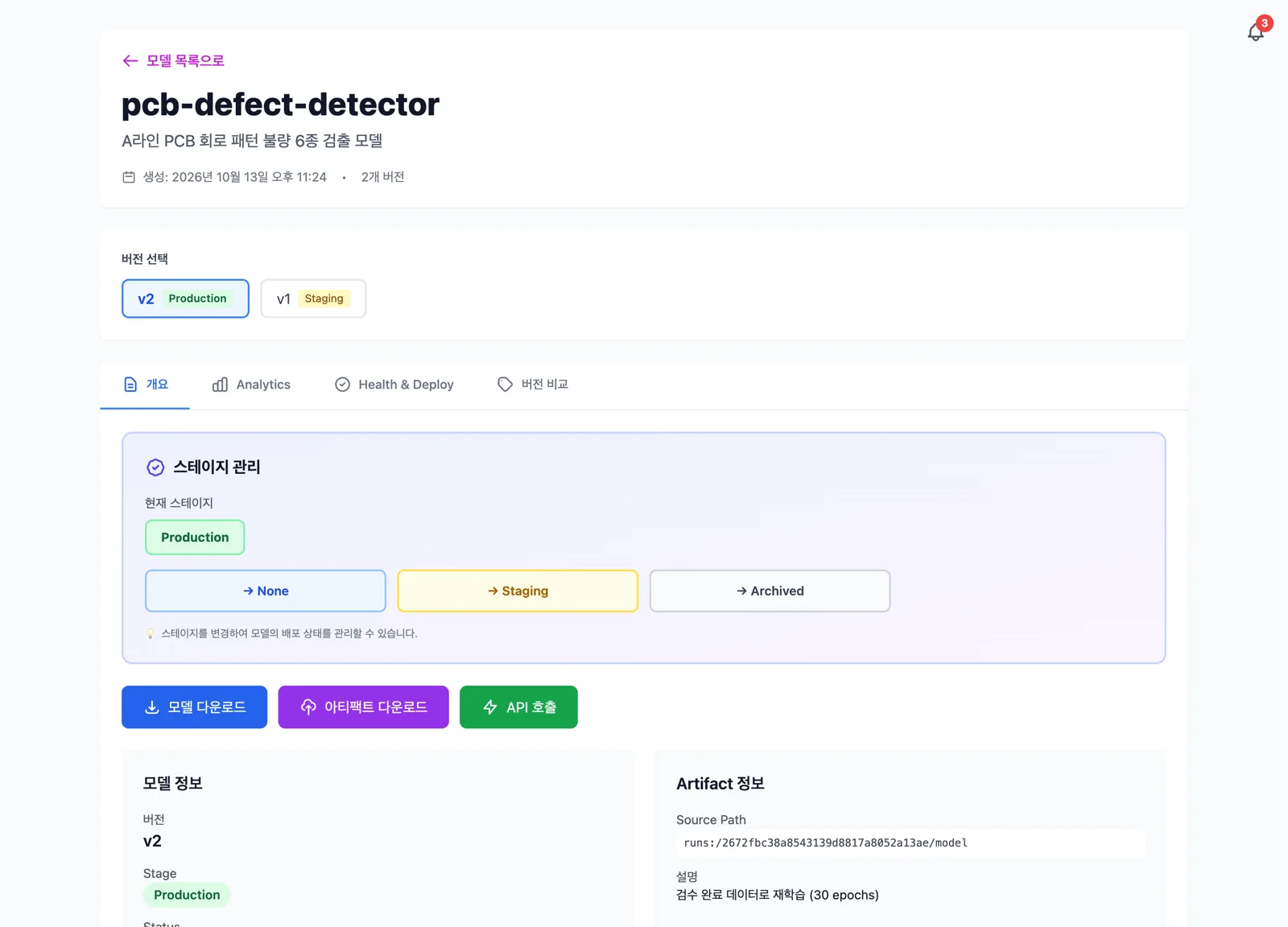
Keep a record of which models are in production
-
✓VersioningEach registration under the same name increments the version, and you can compare metrics by version in a table.
-
✓StagesClassify model status into four stages: None, Staging, Production, Archived. When a model is promoted to Production, the previous Production version is archived automatically.
-
✓Download historyKeep a record of who downloaded the model file and when.
Your data never leaves your servers
We bundle proven open‑source components into a single Docker Compose stack and install it on your GPU server
Customer GPU server (Docker Compose)
On‑premise installation
No cloud account required. Images and models are stored only on the disk of the server where miniOps is installed.
Storage stays inside your network
The image store (MinIO) is never exposed directly to the outside; images are only served via the server.
Single entry point
Provide the web UI, APIs, and experiment tracking UI under a single address.
Management scripts included
Start, stop, restart, and check status with a single management script command.
Key specifications
| Category | Item | Details |
|---|---|---|
| Functionality | Training tasks | Object detection, instance segmentation |
| Functionality | Data formats | COCO JSON, YOLO TXT, unlabeled image ZIP (JPG, PNG) |
| Functionality | Annotation | Bounding boxes, polygons, AI automatic annotation |
| Functionality | Experiment & model management | MLflow‑based logging, versions & stages (None · Staging · Production · Archived) |
| Functionality | Notifications | Training start / completion / failure, automatic annotation results |
| Environment | Installation method | Docker Compose (single server), installation script provided for Ubuntu 24.04 LTS |
| Environment | Hardware | NVIDIA GPU (NVIDIA Container Toolkit), 16 GB+ RAM recommended |
| Environment | Software | Docker 20.10 or higher, Docker Compose 2.0 or higher |
| Environment | Access & language | Web browser (Chrome recommended), Korean |
Conditional automatic retraining, inference APIs, and deployment history & approval management are currently under development; timelines will be provided separately.
Implementation process
We support you from consultation through to operations
Consulting & demo
We review your inspection targets and data status, and walk through the workflow using the actual screens.
Environment check
We check your existing GPU server specs and network topology, then plan the installation.
Installation & data registration
We install on your server and register your existing images and labels as the first dataset.
Training & operations support
We provide hands‑on training from labeling to model registration and respond to questions during operations.
Get a demo using your own data
Share your inspection targets and sample images, and we’ll prepare a demo tailored to your data.
The screenshots were taken using the public dataset DeepPCB (MIT License) and public domain / CC0 photos from Wikimedia Commons. Features and screens are subject to change by version.